From pharmacy referral to nursing visit to reviewed documentation to invoice: how Paloma manages the operational chain.
Every home infusion visit sits in a chain: a pharmacy refers a patient, an order authorises care, a nurse is found and scheduled, the visit is documented, a clinical lead reviews it, the pharmacy gets its documentation, and the agency is paid. Paloma runs that chain as one record, so each step hands the next one what it needs. Agencies run this workflow in Paloma in daily operations.
A Texas-based home infusion agency runs this chain on Paloma every day.
Eight steps, one record.
In Paloma, a referral is entered once. The patient, the order, the visits, the nurse’s note, the clinical review, the pharmacy’s copy of the documentation, the invoice and the payment all read from the same record. Nobody re-keys a referral into a schedule, chases a signature in a spreadsheet, or builds an invoice from a stack of notes.
Paloma’s current commercial focus is home infusion and specialty pharmacy nursing. Paloma Cares is a broader healthcare operations platform, with Medicare-certified home health coming next and Paloma Talent providing workforce capabilities for eligible subscribers.
Where the chain breaks when it is run by hand.
Each handoff between a fax, a spreadsheet, a text message and a paper note is a place where work is lost.
Between referral and order
The packet is typed again, and the dose in the schedule is not the dose the prescriber signed.
Between order and visit
The order is revised, and the nurse arrives with last month’s instructions.
Between schedule and nurse
The visit is assigned to a nurse whose licence or competency lapsed last week.
Between visit and review
The note comes back days later, incomplete, and nobody reviews it until the pharmacy asks.
Between review and the pharmacy
The pharmacy wants its own form, and the agency sends the wrong one.
Between visit and invoice
A completed visit never reaches an invoice, or reaches it at the wrong rate.
What happens at each step, and what Paloma keeps.
The referral arrives
Your intake staff upload the pharmacy’s referral packet as it arrives. AI reads it and proposes the patient, the drug, dose, route and frequency, and the prescriber.
- Staff review what the reading proposes
- The source document stays with the record
- One chart per patient from the first day
Intake staff
The order governs
The confirmed order becomes the governing order and sets the treatment course. When the pharmacy sends a revision, it is recorded as a new order.
- Each order and revision kept, not overwritten
- Prescriber signature status on every order
- The order that governs today is always shown
Intake staff and the Director of Nursing
A nurse is found
The order’s therapy, frequency and location define the staffing need. Find Staff checks your own eligible staff first; with Paloma Talent, the same need extends to prospects near the patient.
- Licence and competency status shown before assignment
- Anyone not ready shows exactly what is missing
- No patient-identifying details leave your agency in a Talent search
Scheduler or administrator
The visit is scheduled
Current orders become single visits or multi-day courses, each tied to the order that authorises it.
- Visits tied to their authorising order
- The nurse sees today’s visits on a phone
- Coverage visible before the day begins
Scheduler
The nurse documents the visit
At the bedside the nurse works through a guided note on a phone: patient verification, assessment, vascular access, pre-medications, the primary medication, education, supplies and signatures.
- Saved as the nurse works; resumes where it stopped
- A dose that does not match the governing order is flagged before signing
- When something is missing, the button names it
Field nurse
Clinical review
Every submitted note reaches the Director of Nursing’s review queue, where it is approved or returned to the nurse for correction.
- A review queue for every submitted note
- Returned notes show the nurse what to correct
- Only reviewed visits move on
Director of Nursing
The pharmacy gets its documentation
The reviewed note returns to the pharmacy in the format that pharmacy requires. Through the pharmacy portal, the pharmacy’s own staff can see their patients, referrals and reviewed nursing notes.
- Per-pharmacy documentation requirements on the pharmacy’s record
- Role-based portal access that an agency administrator grants
- A pharmacy sees its own relationship with the agency and nothing else
Agency office; pharmacy partner
Invoice and payment
Reviewed, signed visits become invoice lines at the rates in your contract with that pharmacy. Statements, payments, resubmissions and factored receivables are recorded against the same visits.
- Every completed visit not yet invoiced is shown, with the reason and its owner
- Corrections preserve the original record
- Statements can carry a factor’s remit-to details
Biller or administrator
Your pharmacy partners can see their side of the chain.
Today a pharmacy learns what happened by email, fax and its own portal uploads. Paloma gives authorized pharmacy users a governed window into the work your agency performs for their patients.
Pharmacist
The pharmacy’s patients with your agency, and reviewed nursing notes.
Case manager
The pharmacy’s patients with your agency, and its referrals.
Billing contact
The pharmacy’s invoices, with no clinical information.
Only an agency administrator can invite, change or remove a pharmacy’s portal users, and each user’s access is recorded. The portal is read-only today. Sending an order, answering a clarification, messaging the agency and downloading notes or statements through the portal are in development.
Follow one order to its invoice.
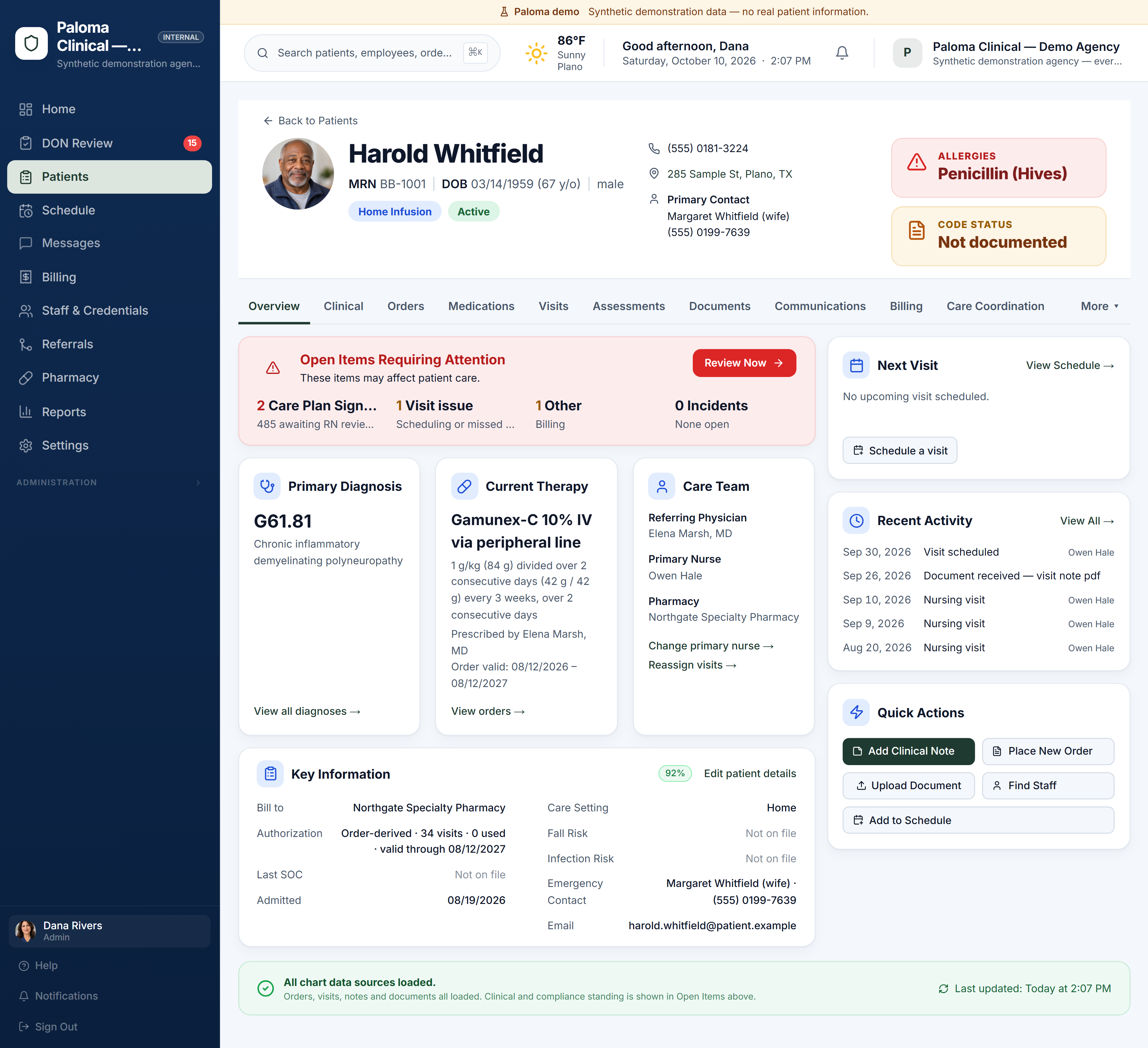
The demo agency is a working Paloma with synthetic patients, pharmacies, orders, visits and invoices. No sign-up, no card.
Who this is for, and what to know before you buy.
Who it is for
Nursing agencies that take infusion referrals from specialty pharmacies, send nurses, return documentation and invoice the pharmacy, with one pharmacy or many.
Billing today
Pharmacy invoices and statements, payments, receivables and factoring, and UB-04 claims including VA Community Care. End-to-end electronic payer claim submission is not yet a completed Paloma workflow.
Coming next
Medicare-certified home health is the next major service line in Paloma. Each service line is added in sequence and to depth.
Paloma’s price, published.
One flat price per agency, monthly or annual. No setup fee, no feature tiers and no per-user charges. Annual saves two months.
The complete Clinical product. Every Clinical capability included.
- Referral intake with AI document reading
- Orders and pharmacy workflows
- Scheduling
- Nurse charting and DON review
- Workforce readiness
- Billing and survey tools
$499 charged at checkout. Renews monthly.$4,990 charged at checkout. Renews annually.
Prefer help? Book a guided demo
Run the care and find the clinicians to deliver it. When a patient needs staffing, search from the patient chart: your own eligible staff first, then Paloma Talent prospects near the patient.
- Everything in Paloma Clinical
- Find Staff from the patient chart: your own eligible staff first, then Paloma Talent prospects near the patient
- Call, email or invite prospects straight from the staffing search; no patient-identifying details leave your agency
- No placement fee when you hire through Paloma Talent under this plan
$999 charged at checkout. Renews monthly.$9,990 charged at checkout. Renews annually.
Prefer help? Book a guided demo
Paloma Talent on its own has no monthly fee: a placement fee is earned only when a candidate we introduced accepts your offer. No hire, no fee. See Paloma Talent →
From referral to paid invoice: what agencies ask.
How does a home infusion referral become an invoice in Paloma?
In one connected record. The pharmacy’s referral becomes a patient and a governing order, the order becomes scheduled visits with a ready nurse, the nurse documents the visit on a phone, the Director of Nursing reviews the note, the documentation returns to the pharmacy, and the reviewed visit becomes an invoice line at that pharmacy’s contract rate. Payments and statements are recorded against the same visits.
What stops an incomplete visit from being billed?
Only reviewed, signed visits become invoice lines. Paloma shows every completed visit that has not yet reached an invoice, with the reason and who owns it.
What happens when the pharmacy changes the order?
A revised order is a new order, never an edit. Paloma keeps each order and revision, records which one governs today, and the nurse charts against that one. A dose that does not match the governing order is flagged before the note is signed.
Can the pharmacy see the status of its patients and documentation?
Yes. Paloma includes a pharmacy portal. An agency administrator can give a pharmacy partner’s staff role-based access to that pharmacy’s own work with the agency: their patients and reviewed nursing notes for pharmacists, their patients and referrals for case managers, and invoices for billing contacts. A pharmacy sees its own relationship with the agency and nothing else.
Does this workflow apply only to home infusion?
It is built most deeply for home infusion and specialty pharmacy nursing today. Paloma’s current commercial focus is home infusion and specialty pharmacy nursing. Paloma Cares is a broader healthcare operations platform, with Medicare-certified home health coming next and Paloma Talent providing workforce capabilities for eligible subscribers.
Does Paloma submit claims to insurers electronically?
Not yet. Paloma’s billing today is pharmacy invoices and statements, and UB-04 claims including VA Community Care. End-to-end electronic payer claim submission is not yet a completed Paloma workflow.
Related: Home infusion software · Specialty pharmacy nursing software · Pharmacy workflows · Paloma Talent · Pricing
See your workflow in Paloma.
Explore the live demo agency now, or book a guided demo around your own referrals, pharmacies and staff.
The demo agency uses synthetic data; no credit card required · create your agency when you are ready (first billing period charged at checkout) · or talk to a person